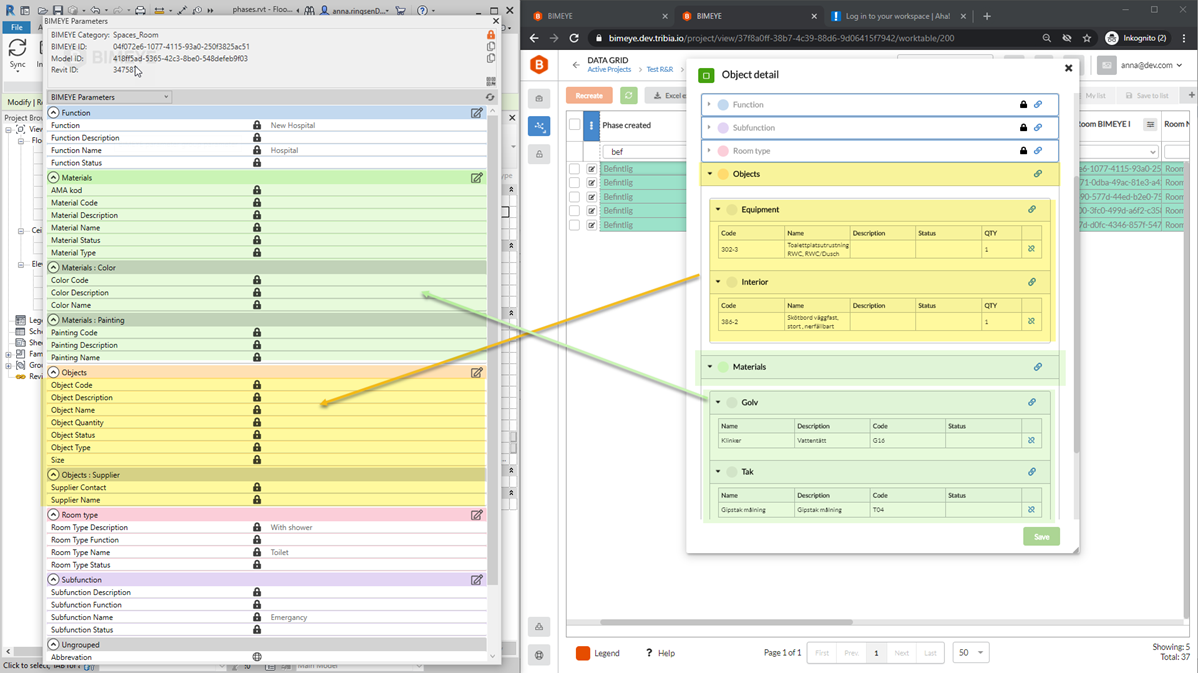
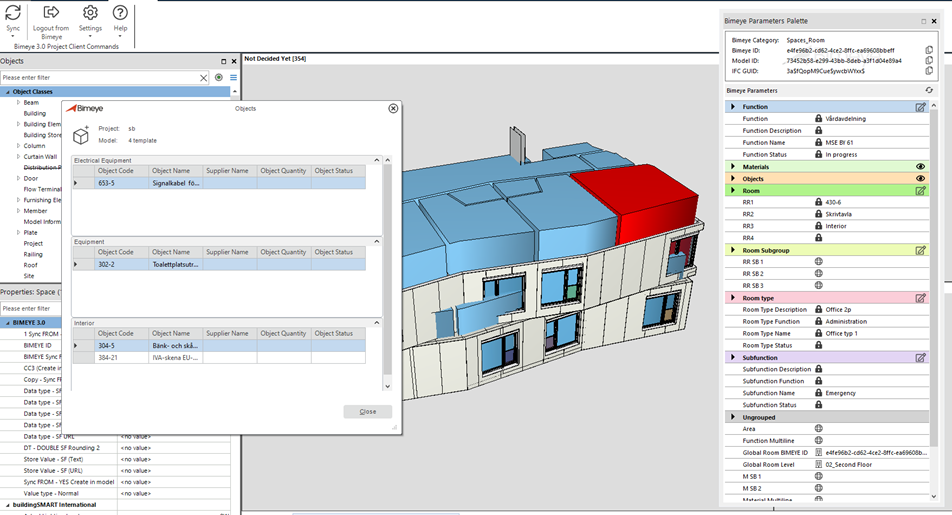
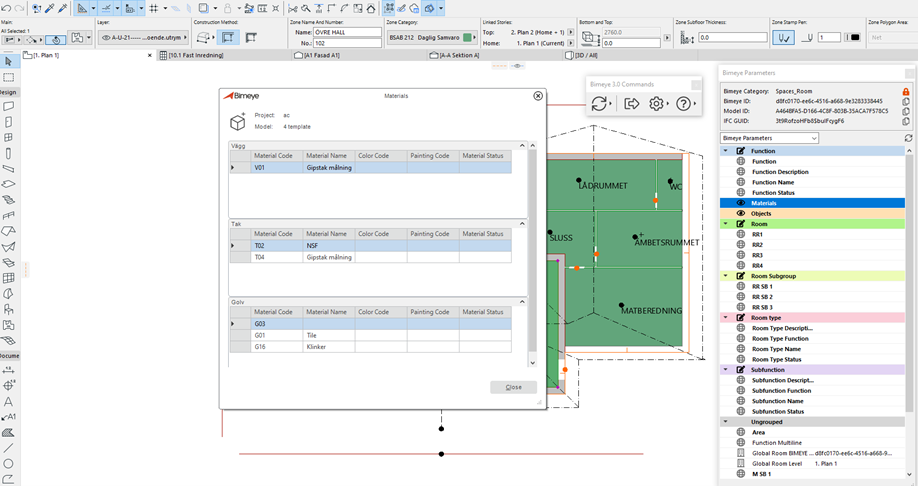
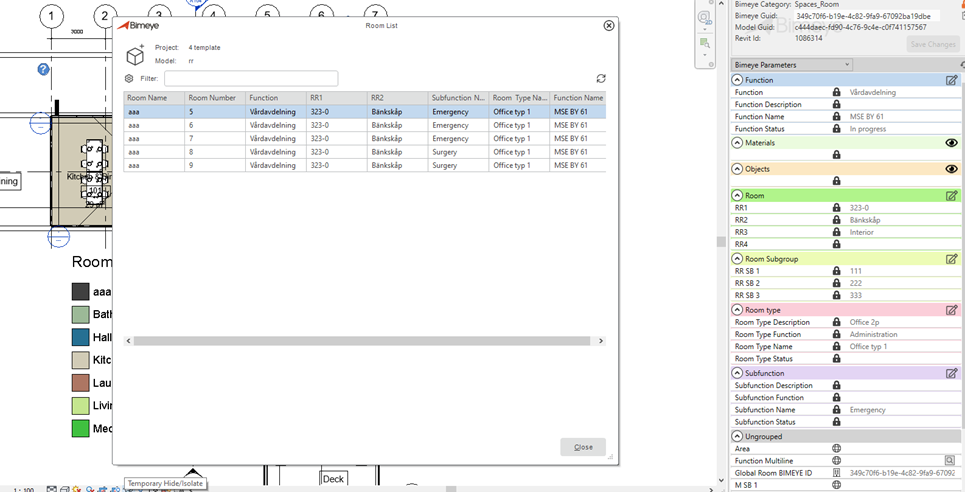
Bimeye parameter panel now support new Room data: Materials and Objects, Functions, Subfunctions, Room type. This is available for all three supported Design Tool Clients.
Revit only: It is now possible to place rooms created in Bimeye into your Revit models
1.1.2 View Naming in Revit
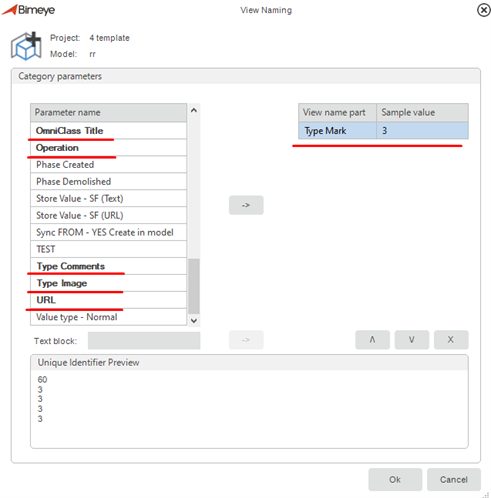
Ability to use type parameters when creating names for views. All Type parameters related to the selected category are shown bold in the View Naming list.
1.1.3 Geometry Synchronization from Revit
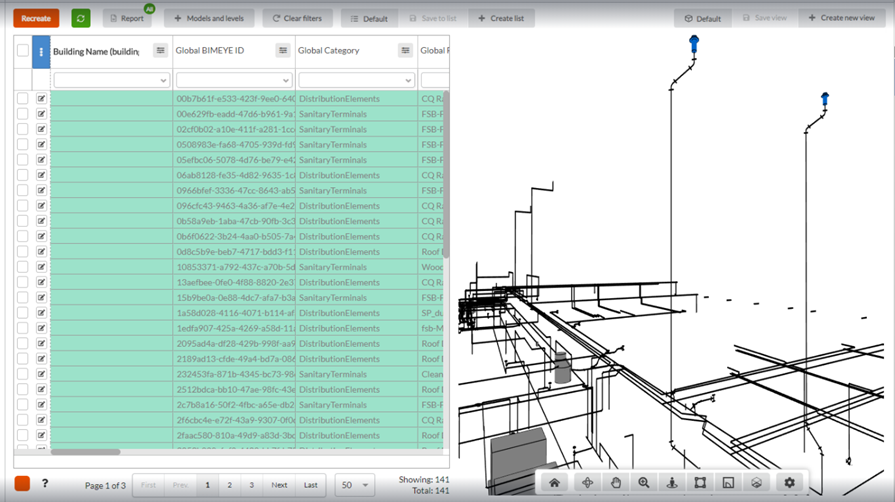
Geometry synchronization export now support center lines (location line) for pipe segments and reinforcement rebars. The example below is exported with a Corse level of detail in Revit. For large complex models this can speed up the viewer performance. Please note that for a single object there is only one level of detail of the geometry, so if you need to change this in Bimeye you will need to synchronize with another level of detail.
1.1.4 New feature in Archicad and Revit: Resurrect
New feature available in both Revit and Archicad parameter panel for reviving objects that have been expired in Bimeye and connect them to new objects in the model. This feature is useful for when you have removed objects in the model that you want to use again and preserve the information available in Bimeye on the expired object.
1.1.5 New version of Archicad supported
Archicad 24 is now supported and a design tool client can be downloaded and installed to connect models design in this new version of Archicad to Bimeye.
1.2 Significant Bug Fixes
Fix for adding invalid URL values to a disabled parameter in Bimeye property panel for all design tool clients
1.2.1 Significant Bug Fixes in Revit
Filtered out system families categories from the create view category list when Creating views in Revit model:
Ceilings
Curtain Systems
Curtain Wall Mullions
Ducts
Flex Ducts
Flex Pipes
Floors
Fluids (an MEP family)
Model Text
Pipes
Railings
Ramps
Repeating Detail
Roofs
Site (Pad)
Stairs
Structural Foundations
Structural Loads
Structural Rebar
Rooms not placed will not be included in Bimeye, Placed rooms but not Enclosed rooms are synced to Bimeye. Rooms that have been placed but then have been removed from a floor will expire in Bimeye, if you would like to place the room again please use the resurrect feature in Bimeye instead of just placing the room again since then Bimeye will make a new Room and not update the existing expire one.
Fix for duplicated names but different data types of project parameters created in Revit. For example, one text and one yes/no mapped to door category with the same parameter name will now give the user a warning and one of the parameter names needs to be changed. Each parameter name mapped to a category needs to be unique before synchronization.
Possibility to configure the settings and prepare view creation - User need to have at least one View Template for Plan and Elevation Views to be able to run Create Image Views command for Doors (and a 3D room view template to create 3D views of Rooms)
1.1.5 Significant Bug Fixes in Archicad
To display Building Name from Archicad the parameter is changed from read only to normal
Kommentarer
0 kommentarer
Artikeln är stängd för kommentarer.